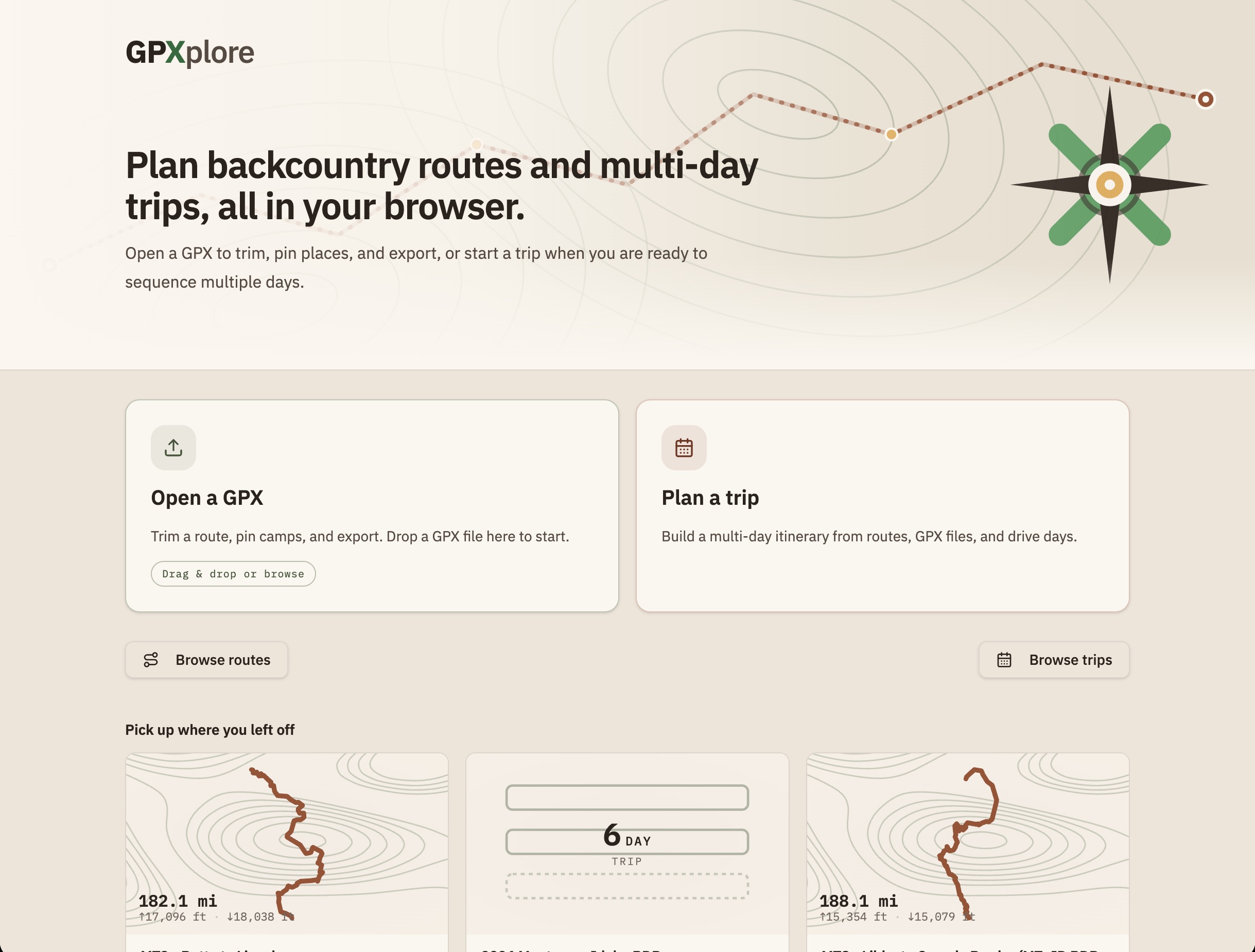
GPXplore is a browser-based route planner for motorcycle and bicycle backcountry trips. It imports GPX tracks, lets riders trim and refine them on a topographic map, pin campgrounds and other places, build multi-day itineraries, and export routes when they are ready to ride.
I built it for a real trip-planning problem. Multi-day off-pavement rides are not just lines on a map: they involve fuel range, camp options, terrain, hazards, daily distance, printed backup, and the GPS devices riders actually use in the field. A fall trip with too much distance and not enough time pushed me to build something that could turn a pile of GPX tracks into a day-by-day plan I could trust.
The early constraint was export quality. I run a Beeline on the bike, which works best with a clean breadcrumb-style track rather than a waypoint-heavy route. GPXplore started by making that core workflow dependable: import a track, trim it precisely, simplify the geometry, and export something a device would accept.
Product Shape
The app grew from a single-track editor into a full planning workspace:
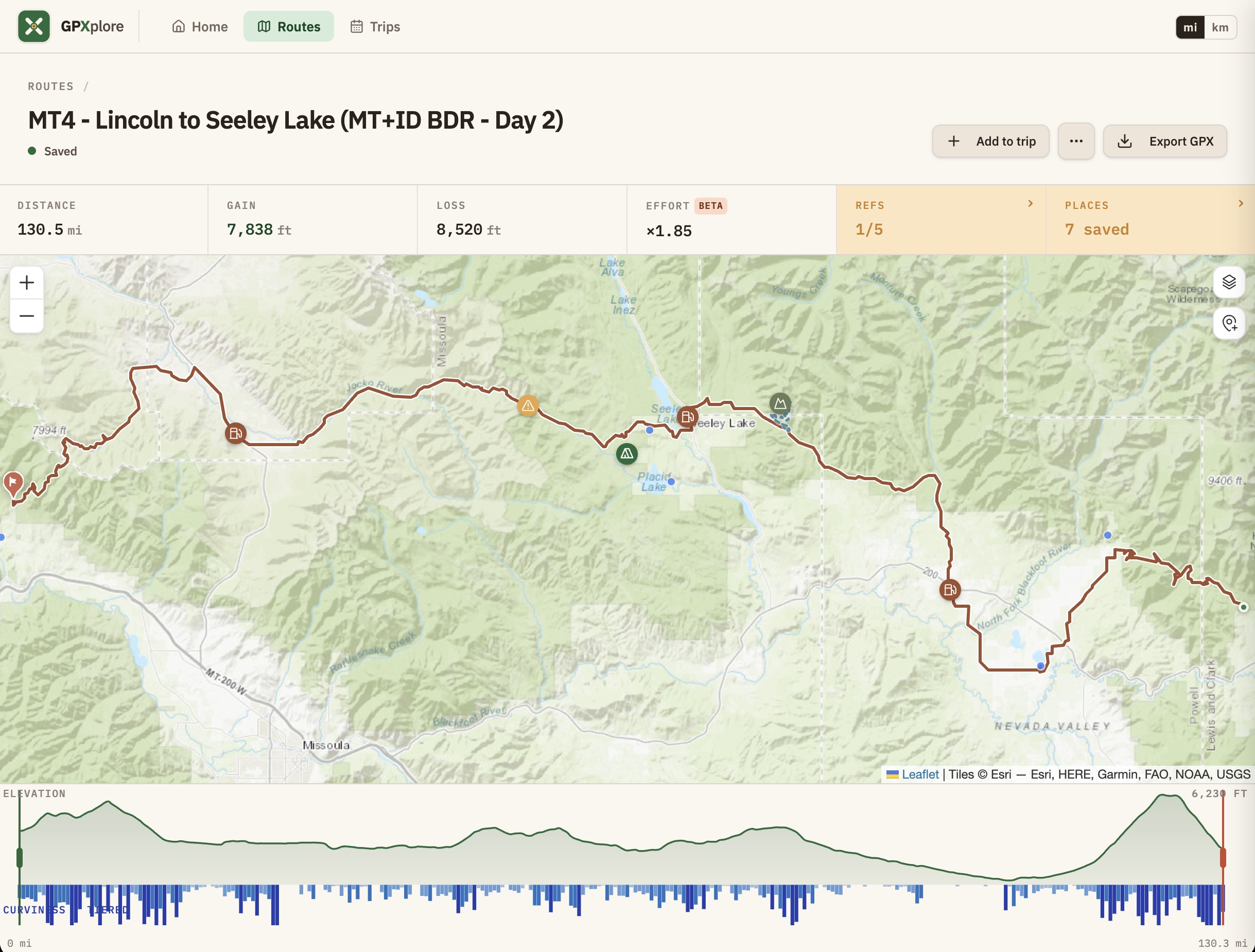
- Route import, trimming, endpoint extension, undo/redo, and reference-track joining.
- A saved route library with generated route thumbnails.
- Campgrounds, custom places, hazards, scenic stops, and GPX waypoints in one places model.
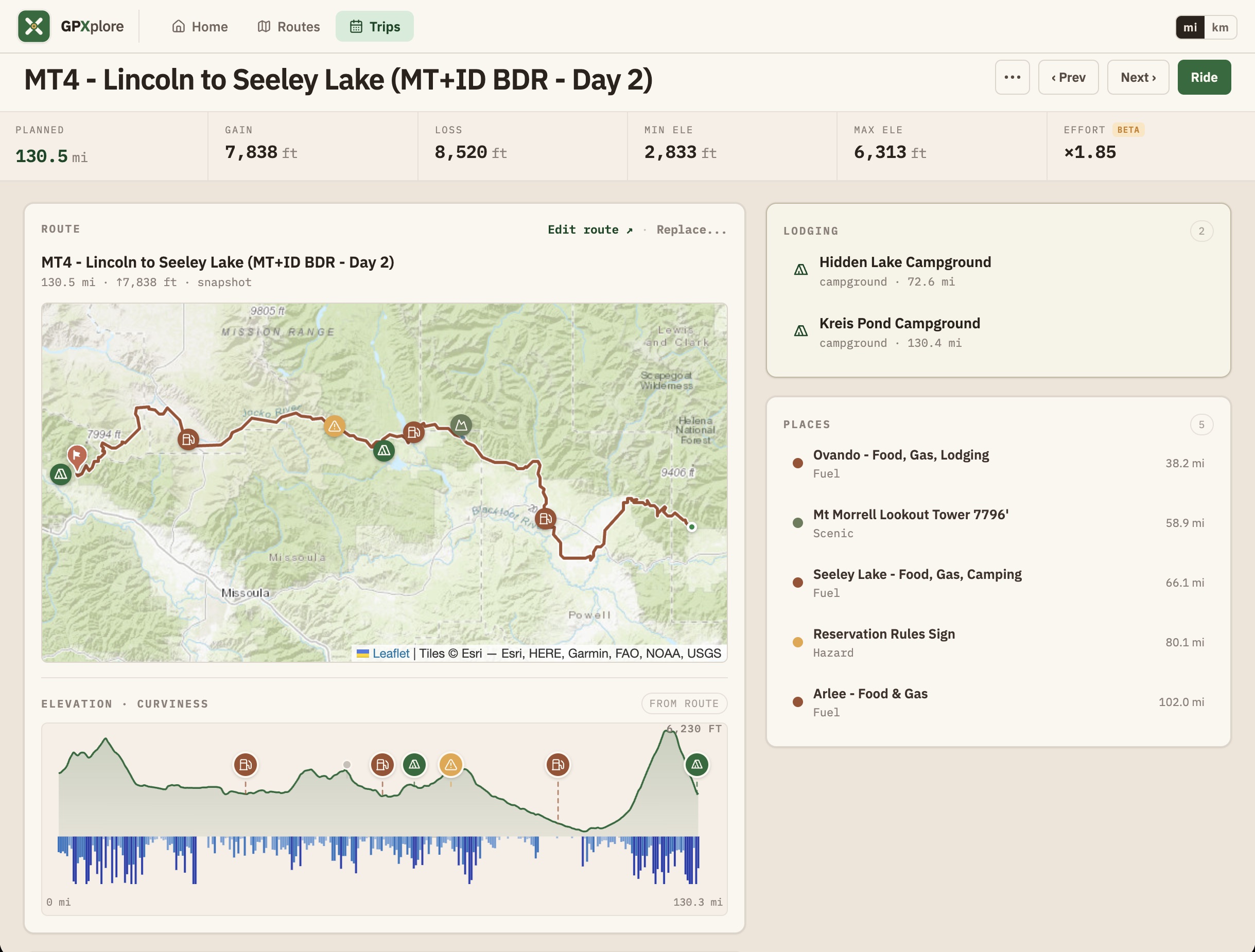
- Multi-day trip assembly with day views, printable day sheets, and a phone-friendly ride reference mode.
- Elevation, curviness, and a calibration-free effort metric to make daily range easier to judge.
- DMD2 and adventure-GPS import/export, including per-day track segmentation, waypoint hygiene, and hazard navigation cards.
The product is intentionally local-first. Routes and trips stay in the browser, backup and restore work through a local JSON snapshot, and no account is required. Live lookups, such as Recreation.gov search or wildfire overlays, are optional additions rather than the center of the product.
Product Decisions
GPXplore has been a useful exercise in keeping product judgment close to implementation. A few decisions shaped the product more than any single feature:
- Make the route trustworthy first. Export compatibility, trim precision, and geometry cleanup mattered before richer planning surfaces could be useful.
- Treat trips as their own object. A good route is not the same thing as a trip, so routes are copied into trips and then organized by day rather than held as live library references.
- Use terrain as product information. Elevation and effort are not decoration; they help answer the real planning question: how far can this day reasonably go?
- Keep field use simple. Desktop can be the planning workspace, but phone and tablet views need to be read, export, and ride companions.
Build Approach
I built GPXplore as an experiment in spec-driven, AI-assisted development. I started with a Lovable prototype, then moved into Claude and Codex once the product needed real architecture and release discipline.
The working pattern was to resolve ambiguity first, write the decision down, then hand implementation to the model. The LLM could move fast on mechanics, but the product decisions still needed to come from clear constraints: what the rider needs, what the route data can support, what a GPS device will accept, and what should stay out of the product until there is a real need.
Technically, GPXplore uses React, TanStack Router and Query, Leaflet, Chart.js, Zustand, Radix UI, Tailwind CSS, GPX parsing/export logic, Web Workers for heavier file work, and Cloudflare Workers for deployment and selected API proxying.
Data And Integrations
Useful trip-planning data is scattered, incomplete, and often not available through clean public APIs. GPXplore combines several sources while keeping the user in control:
- Basemaps from OpenStreetMap, OpenTopoMap, Esri world topo, CyclOSM, and Esri satellite imagery.
- Curated USFS, BLM, and selected state campground records bundled with the app, plus optional Recreation.gov RIDB search.
- Active wildfire detections from NASA FIRMS and current fire perimeters from NIFC WFIGS when the wildfire layer is enabled.
Those data sources are treated as planning aids, not safety guarantees. The app is designed to help riders prepare, but official sources and conditions on the ground still matter.
Screenshots
Current State
GPXplore is active and evolving. The recent work has focused on making it useful beyond the desk: responsive field-companion views, ride mode, backup and restore, metric and imperial units, richer route and trip lists, DMD2 round-trip workflows, and bypass merging for alternate tracks or detours.
It already represents the kind of product work I enjoy most: technically ambitious, grounded in a real workflow, and shaped by the small frictions that appear when software has to survive contact with the physical world.